If you are a tutor, course creator, or anyone who builds learning content for a living, you already know the bottleneck. It is not generating ideas. It is not writing the first draft.
It is the messy middle: deciding what to work on today, finding current sources, verifying facts, and getting the actual deep work done before the next interruption arrives.
AI can help with all three. But only if you stop collecting tools and start designing a workflow.
This guide walks through a three-layer system for using AI to manage your time, run deep research, and turn that research into publishable articles, lessons, or course modules, with current 2026 tools and pricing.
Key Takeaways
- Treat AI as a workflow, not a toolkit. Pair scheduling automation with research agents and a focused writing environment, or you will just have three half-used subscriptions.
- Time-block first, draft second. AI calendars like Reclaim.ai protect deep work windows by auto-placing tasks in real time, which matters more than any single writing prompt.
- Use deep-research agents for sourcing, not drafting. Tools like OpenAI Deep Research and Gemini Deep Research browse the live web and return cited reports you can verify.
- Build a research matrix before you write. A structured table of tools, claims, pricing, and source links eliminates context-switching during drafting.
- Always fact-check pricing and stats manually. AI research outputs can lag the live web by weeks, especially for SaaS pricing pages.
The Three-Layer System
For research-heavy content where sources must stay current, three layers of AI do the work:
- Time management: calendar and task orchestration that auto-schedules your work blocks.
- Deep research: agents that browse the live web and return cited reports.
- Drafting and revision: a writing environment that pulls from your sources with traceable citations.
The mental model is simple: when do I work (layer 1), what do I need to know (layer 2), how do I turn it into something publishable (layer 3). Skip a layer and the system breaks. Most people skip layer 1, which is why their layer 2 and 3 tools sit unused.
Layer 1: AI Time Management
The goal here is not to track every minute. It is to make sure that when a deep-research block hits your calendar at 9 AM Tuesday, nothing has eaten it. AI calendars do this by auto-rescheduling around new meetings and shifting priorities.
Recommended Tools
| Tool | Best For | Pricing (2026) | Key Feature |
|---|---|---|---|
| Reclaim.ai | Auto-scheduling tasks and habits on Google Calendar or Outlook | Free Lite plan; Starter $8/user/mo; Business $12/user/mo (annual billing) | Splits tasks into multiple work sessions and reschedules automatically when meetings shift |
| Clockwise | Defending focus time for teams | Free tier; paid plans from approx. $6.75/user/mo | Resolves meeting conflicts across calendars and protects no-meeting blocks |
| Sunsama | Daily planning with task rituals | $20/user/mo | Pulls tasks from Notion, Trello, Asana, and Gmail into a single daily plan |
| Motion | Solo professionals with chaotic task loads | From approx. $19/user/mo (annual) | Continuously re-plans your day based on deadlines and priorities |
A Practical Setup
The setup that works for most content-heavy roles has three steps:
Capture. Every article, lesson plan, or research task goes into one task system. Reclaim Tasks, Motion, or Sunsama all work. The point is one inbox, not three.
Plan. Assign rough durations to each task. A useful breakdown for a 1,500-word researched article looks like this:
- Deep research: 2 hours
- Outlining: 1.5 hours
- Drafting: 3 hours
- Revision and fact-check: 1 hour
Add a due date. Let the AI calendar place these blocks into your week with buffers and protected focus windows.
Execute. Treat your calendar as a production line. You are either in research mode, outline mode, or draft mode. Not all three at once. When priorities change, move the blocks through the AI assistant instead of manually dragging everything.
Example: You create a task titled “Deep research: AI learning tools roundup, 3 hours, due Wednesday.” Reclaim splits it into three 1-hour sessions across Monday, Tuesday, and Wednesday mornings during your protected focus time. When a client call lands on Tuesday at 10 AM, the Tuesday session shifts to Thursday automatically.
Layer 2: Deep Research With Live Web Access
This is where most content workflows break. Standard chat-style AI tools work from training data with a knowledge cutoff. For an article on, say, the latest AI tutoring platforms, that training data is already out of date the moment you start writing. You need agents that actively browse the current web and return verifiable sources.
Current Strong Options
OpenAI Deep Research
An autonomous agent inside ChatGPT that runs multi-step web research and returns long reports with inline citations. Best for sweeping landscape reviews where you want one document that maps an entire topic.
Gemini Deep Research
Google’s equivalent, which can also pull from your connected Drive and Gmail when relevant. Useful when your research needs to combine public sources with internal notes or past drafts.
Jenni AI
A research-and-writing hybrid built for academic-style work. It integrates literature search across 200M+ papers, supports PDF uploads, and generates inline citations as you write. The Unlimited plan is $12/month billed annually, or $20/month monthly. Useful when your content needs peer-reviewed backing, like education research, learning science, or assessment methodology.
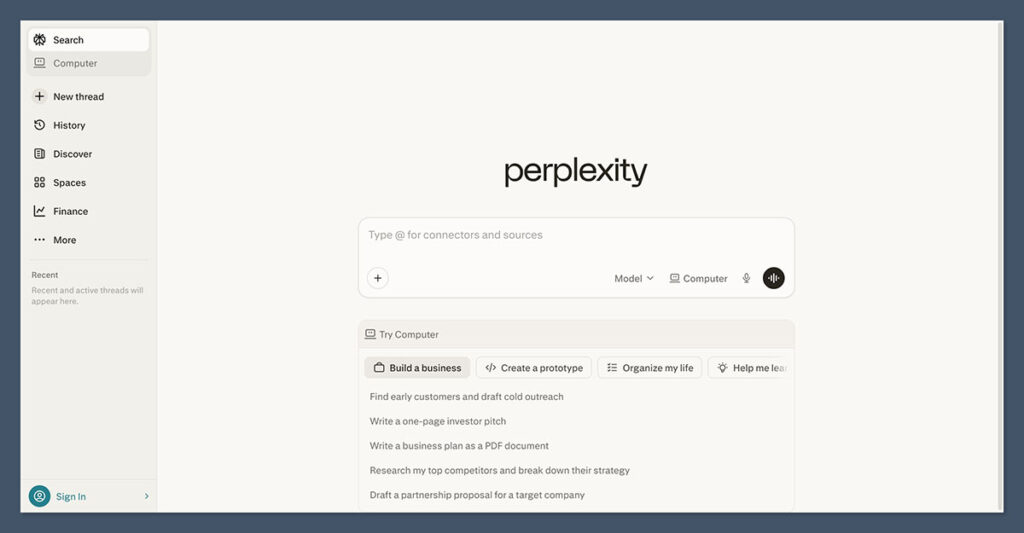
Perplexity (Deep Research mode)
Faster than the OpenAI and Gemini variants and good for sub-topic dives. Less thorough on multi-step questions, but excellent for “verify this one claim” follow-ups during drafting.
A Research Workflow That Actually Holds Up
- Write a research spec, not a prompt. Scope, audience, region, recency window, output structure. Example: “Research AI tools for tutors and online educators, focusing on 2024 to 2026 launches and updates, with pricing in USD and emphasis on assessment, content generation, and student feedback features.”
- Run the deep-research agent. Ask it to map the landscape, collect tool lists with key features, and extract current pricing and limitations. Require linked sources with publication dates.
- Spot-check the output. Open the cited pages for anything you will quote, especially pricing and “best of 2026” style claims, which date quickly.
- Pull in academic sources when relevant. For conceptual pieces on learning science, cognitive load, or pedagogy, run a second pass through a tool like Jenni to anchor claims to peer-reviewed work.
- Build a research matrix. This is the step most people skip.
The Research Matrix
Before you draft anything, convert the research output into a structured matrix. For a tools roundup, columns look like this:
| Tool | Category | Best For | Key Features | Pricing | Limitations | Source Links |
|---|---|---|---|---|---|---|
| Tool A | Calendar AI | Solo creators | Auto-scheduling, habit blocks | $8/mo | No Outlook support | URL 1, URL 2 |
The matrix is your single source of truth during drafting. It removes the urge to context-switch back into research mode every time you need a stat or a feature name. For lesson-based content, the columns shift to topic, learning objective, source, example, and assessment idea, but the principle is the same.
Layer 3: From Research to Article
Once the matrix is built, use AI as a writing partner, not a ghostwriter. The goal is to keep your judgment and framing in the driver’s seat while AI handles the grunt work of expanding bullet points into prose and rewriting clunky sentences.
A Section-by-Section Drafting Pipeline
Outline first. Ask your AI assistant to propose two or three possible structures given your matrix. For a tools roundup, you might choose between a workflow-based structure, a category-based one, or a maturity-based one. Pick the one that fits your audience’s intent and tweak it manually for voice.
Draft section by section. For each section, feed the AI your brief plus the relevant slice of the matrix. Tell it explicitly to use only the provided data, link to the sources you have, and avoid generic productivity clichés. Tools like Jenni are built for this “write alongside AI” mode with inline citations attached to your source PDFs.
Layer in your commentary. AI cannot do this part. Add your benchmarks, your opinions on which tool fits which type of educator, and the trade-offs you have personally seen. This is what separates a useful article from another generic listicle.
Use AI for micro-tasks. Rewriting clunky sentences, generating alternative headings, turning dense paragraphs into scannable lists, drafting meta descriptions. These are five-second tasks that compound over a long article.
Final Fact-Check and Freshness Check
Before you publish, run one last verification pass:
- Confirm pricing and plan names on each product’s official page. SaaS pricing changes monthly.
- Check statistics and dates against original sources, not summary articles.
- For evergreen pieces, set an AI calendar reminder to trigger a “refresh research” task in three to six months.
Example: A Four-Day Article Production Sprint
Here is what the system looks like in practice for a researched piece like “Best AI Tools for Online Tutors in 2026”:
| Day | Time Block | Task | AI Layer |
|---|---|---|---|
| Day 1 | 2 to 3 hours, auto-scheduled | Run deep-research agent, collect 2024 to 2026 sources, build comparison matrix | Layer 2 |
| Day 2 | 2 hours, deep work block | Co-create outline with AI, draft intro and first two sections with inline citations | Layer 3 |
| Day 3 | 2 to 3 hours, split sessions | Draft remaining sections, add personal commentary, fact-check pricing on official sites | Layer 3 |
| Day 4 | 1 to 1.5 hours | Final polish, consistency check, add “How to choose” framework, schedule six-month refresh reminder | Layers 1 and 3 |
AI is doing the heavy lifting on scheduling, first-pass research, structured extraction, draft generation, and minor rewrites. You handle framing, judgment, and the differentiation that makes the piece worth reading.
Where This Fits If You Build Learning Content
The same three-layer system adapts cleanly to course design, tutoring resources, and lesson planning. Swap “article” for “lesson module” and the structure holds: layer 1 protects your design and recording blocks, layer 2 surfaces current research on learning science and example case studies, layer 3 drafts your lesson scripts, assessments, and student-facing explainers. The research matrix becomes a unit-by-unit content map.
One thing that does change: for educational content, layer 2 should lean harder on peer-reviewed sources. Tools like Jenni, Consensus, and Elicit are better suited for this than general-purpose deep-research agents. The credibility cost of citing a stale blog post is much higher when the audience is learning from you.
Common Pitfalls
Treating AI as a Replacement Instead of a Layer
If you ask a single AI tool to plan your week, do your research, and write your article, you get a mediocre version of all three. The layering is what makes it work.
Skipping the Research Matrix
Without a matrix, drafting becomes a series of small research detours. Every paragraph triggers a “wait, what was that pricing again?” moment. Build the matrix once, draft cleanly.
Trusting AI Citations Without Spot-Checks
Deep-research tools occasionally hallucinate citations, especially for academic-sounding claims. Always verify at least the sources you quote directly.
Letting the Calendar Drift
AI calendars only work if you respect them. If you accept every meeting that lands in a focus block, the system collapses. Default to declining or rescheduling.
Frequently Asked Questions
Do I need all three layers if I only write occasionally?
No. For light writing, a free Reclaim Lite plan plus one deep-research tool covers most of what you need. The full three-layer system is built for people producing multiple researched pieces per month.
Which AI calendar is best if I use Outlook?
Clockwise has stronger Outlook support than Reclaim. Reclaim added Outlook support, but Google Calendar remains its primary surface as of 2026.
Is OpenAI Deep Research or Gemini Deep Research better?
OpenAI’s version tends to produce longer, more structured reports. Gemini is faster and integrates with your own Drive and Gmail. For pure landscape research, OpenAI usually edges ahead. For research that needs your own files in the mix, Gemini wins.
How much should I expect to spend on this stack?
A realistic monthly budget for a solo creator runs roughly $30 to $60. That covers a paid AI calendar tier, a ChatGPT or Gemini subscription with deep-research access, and a writing tool like Jenni if you need academic citations. Heavy users layering Motion, Sunsama, and multiple AI subscriptions can hit $100 or more.
Can I use this workflow without paying for any AI tools?
Partially. Free tiers exist for Reclaim, Gemini (with limited deep research), and Jenni. You can build a working version of the system on free plans, with constraints on usage volume.
How do I keep AI research current after publishing?
Set a recurring task in your AI calendar to refresh evergreen pieces every three to six months. The same deep-research agent you used originally can re-run a targeted query asking what has changed since your last update.