Planning a study schedule used to mean staring at a blank calendar with a stack of textbooks and a vague sense of dread.
Now, an AI study schedule generator can take your subjects, deadlines, and available hours, and return a structured plan in under a minute.
Whether that plan is actually good is a separate question, and one worth answering before you hand your semester over to an algorithm.
This guide breaks down what AI study schedules are, how they work under the hood, the main tools shaping the category in 2026, and the trade-offs worth knowing before you adopt one.
What Is an AI Study Schedule?
An AI study schedule is a personalized study plan generated and maintained by an AI system. Unlike a static planner you fill in by hand, it adapts to your inputs and, in many cases, to your progress over time.
Most AI study schedule tools work from a similar set of inputs:
- Subjects or course materials you want to cover
- Deadlines, exam dates, or project milestones
- Hours you have available each day or week
- Difficulty or priority of each topic
- Your current level, performance, or learning goals
From those inputs, the AI produces a time-blocked schedule that distributes tasks across days and weeks, builds in review cycles, and often integrates with a calendar or task list. The better tools also let you regenerate the plan when your situation changes, which matters because real study weeks rarely go as planned.
Why AI Study Schedules Are Gaining Traction
Three things changed at once to make this category viable.
First, large language models got good enough at parsing messy inputs to handle a syllabus, a goal, and a list of constraints in plain English. You no longer need to format your inputs for the tool. The tool reads you.
Second, students and self-learners are juggling more sources than ever: video courses, PDFs, lecture notes, practice problems, AI tutors. Coordinating all of that manually is its own time sink, and AI schedulers reduce the planning overhead so more time goes into actual learning.
Third, adaptive scheduling has matured. Early tools spat out a static plan and called it a day. Current tools track what you complete, adjust based on slippage, and regenerate when life intervenes. That moves them from glorified templates into something closer to a coach.
How AI Study Schedule Generators Actually Work
Most tools follow the same three-stage pattern, even when they market themselves very differently.
1. Collecting Tasks and Constraints
You provide subjects or topics, deadlines, preferred study windows, and available hours. Many tools now let you upload syllabi, lecture notes, or exam outlines, and the AI extracts units, learning objectives, and due dates automatically. This is where the model does its parsing work, turning unstructured material into a clean list of tasks with attached metadata.
2. Optimization and Distribution
Once the AI has a task list, it estimates workload per topic and distributes those tasks across your timeline. A well-designed scheduler balances difficulty and deadlines, avoids overloading any single day, and explicitly schedules breaks and buffer time to reduce burnout and absorb slippage.
Behind the scenes, this is usually a combination of a language model setting priorities and a simple constraint solver or heuristic placing tasks into time slots. It is not magic, and the quality of the output depends heavily on how carefully the tool defines those heuristics.
3. Iterative Adaptation
The plan is only as useful as your ability to revise it. The strongest tools let you regenerate when availability changes, mark tasks as complete, and use that completion data, along with quiz scores or performance metrics, to recalibrate future sessions. This is what separates a real adaptive scheduler from a one-shot template generator.
Worth knowing: The prioritization logic inside most AI schedulers is opaque. You usually cannot see why a tool decided you should spend three hours on organic chemistry on Wednesday rather than Tuesday. That is fine for most users, but it is a real limitation if you want to understand or override the scheduling decisions.
The 2026 Landscape of AI Study Schedule Tools
The ecosystem has filled out enough that you can match a tool to your specific use case rather than settling for whatever shows up first in a search. Tools roughly split into four categories.
Dedicated Schedule Generators
These are focused, lightweight tools built around a single job: take inputs, produce a schedule. Scholarly’s AI Study Schedule Generator is a clear example, asking for subjects, available hours, and exam dates, then producing an optimized multi-day plan with progress tracking and analytics baked in. Taskade’s generator sits in the same lane but builds the plan as a structured project with tasks, time blocks, and integrated calendar views.
Visual Study Plan Makers
Some tools prioritize visual clarity over raw scheduling. MyMap’s study plan maker takes a subject, timeline, goals, and weekly hours, then breaks the subject into ordered topics, assigns them to sessions, and adds milestones and review checkpoints on a visual canvas. This format suits learners who think in maps rather than calendars.
All-in-One AI Study Platforms
The most ambitious tools combine scheduling with the actual learning. StudyFetch’s Spark.E generates a study plan directly from uploaded materials, pushes it into a study calendar, and also helps you learn the material through chat-based explanation, quizzes, and flashcards. The pitch here is that scheduling and tutoring should not live in separate apps.
General AI Workspaces with Planner Modes
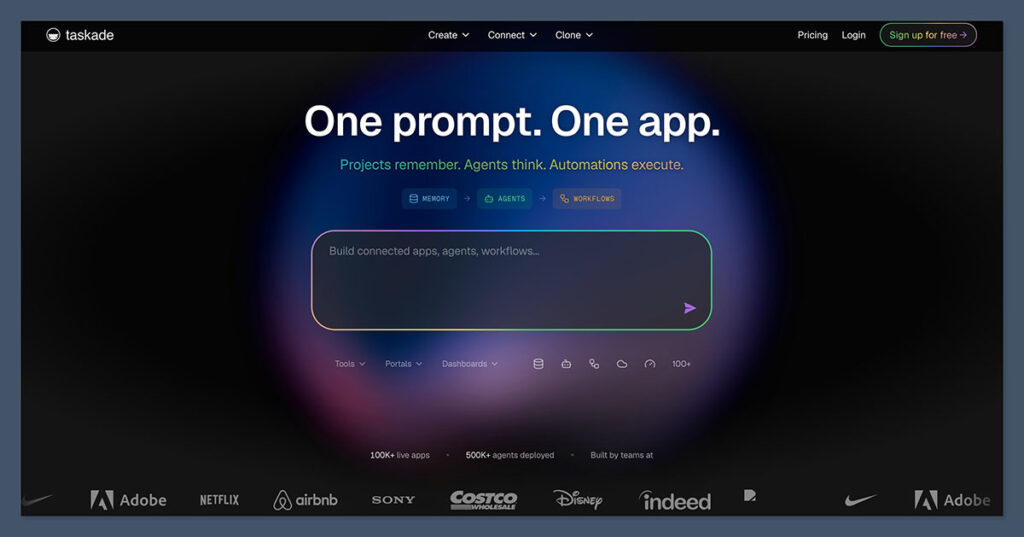
Platforms like Taskade and Notion AI are not built specifically for students, but their planning features show up regularly in roundups of best AI study planners. They tend to win on flexibility and integration with other work, and lose on student-specific features like spaced review or syllabus parsing.
Quick Comparison
| Type of Tool | Typical Inputs | Output | Best For |
|---|---|---|---|
| Dedicated schedule generator (Scholarly, Taskade) | Subjects, hours, deadlines, preferences | Text or calendar schedule with progress tracking | Learners who want a focused planning tool |
| Visual planner (MyMap) | Subject, timeline, hours per week, current level | Topic breakdown plus visual schedule, milestones, practice questions | Visual thinkers and broad subject mastery |
| Study platform (StudyFetch) | Uploaded materials, goals, skill level | Study plan, calendar, integrated quizzes and flashcards | Students who want scheduling plus tutoring in one place |
| General AI workspace (Taskade, Notion AI) | Natural language description, seed documents | Project-style plan and schedule, collaboration features | Self-learners managing study alongside other work |
Strengths of AI Study Schedules
Personalization at scale. A tutor or coach can build a custom plan, but they cannot do it for free in 30 seconds. AI schedulers can, which puts personalized planning in reach of learners who would never hire a coach in the first place.
Reduced planning overhead. The time you save not designing a study schedule is time you can spend studying. For students juggling multiple courses, this compounds quickly.
Adaptive recalibration. When you fall behind, a paper planner just sits there reminding you that you fell behind. An adaptive AI scheduler regenerates the plan, redistributes the workload, and gives you a fresh starting point instead of a guilt trip.
Integration with other tools. Modern schedulers connect to calendars, note apps, and increasingly to AI tutors that can help with the material itself. The schedule becomes one node in a larger learning workflow rather than a standalone artifact.
Limitations Worth Taking Seriously
AI study schedules solve real problems, but they introduce new ones that get under-discussed.
Outsourced metacognition. Deciding what to study, when, and for how long is itself a learning skill. If an AI handles all of that, you may study more efficiently in the short term while losing the ability to plan your own learning in the long term. This matters more for students building long-term self-direction than for someone cramming for one specific exam.
Black-box prioritization. Most tools do not explain why they ordered topics the way they did. If the ordering is wrong for your situation, you may not notice until your exam.
Overconfidence in the plan. A neatly formatted schedule looks authoritative. That visual polish can mask the fact that the underlying logic is sometimes a glorified guess based on inputs you provided without much context.
Data and privacy considerations. Tools that ingest your syllabi, performance data, and study patterns are collecting a fairly detailed picture of your academic life. Worth knowing what each tool retains, shares, or trains on before uploading everything.
AI Schedulers in a Research Context
Most AI study schedule coverage focuses on undergraduates and exam prep. The same logic extends to research workflows, where the planning problem is harder and the tools are different.
Academic assistants like Elicit, Research Rabbit, Scholarcy, NotebookLM, and Scite focus on literature review, synthesis, and note-taking rather than pure scheduling. But they shape what goes into a research schedule by clustering topics, mapping citations, and producing structured reading plans. For a researcher or graduate student, the practical schedule often emerges from these tools rather than from a dedicated planner. The line between “AI study schedule” and “AI research workflow” blurs once your learning involves synthesizing primary sources rather than working through a fixed syllabus.
How to Choose an AI Study Scheduler
The right tool depends less on which has the slickest interface and more on what you actually need it to do.
| If your priority is… | Look for | Example category |
|---|---|---|
| Speed and simplicity | A dedicated generator with minimal setup | Scholarly, Taskade generator |
| Visual learning and topic mapping | A canvas-based planner with milestones | MyMap |
| Scheduling plus tutoring in one place | An integrated study platform | StudyFetch |
| Flexibility across study and work | A general AI workspace | Taskade, Notion AI |
| Research-driven learning | Literature and synthesis tools layered with a calendar | Elicit, NotebookLM |
A few practical tests worth running on any tool before committing:
- Can it regenerate a plan when your week falls apart, or are you stuck with the original?
- Does it actually use your performance data to adjust, or does it just claim to?
- Can you override its prioritization without rebuilding the whole plan?
- Does it integrate with the calendar and note tools you already use?
Best Practices for Using AI Study Schedules
The tools work best when you treat them as a starting point rather than an authority.
Sanity-check the first plan. Read the generated schedule and ask whether the ordering makes sense for you. Move things around when it does not. This takes ten minutes and is the single highest-leverage habit when using these tools.
Keep some manual planning. Even if the AI handles weekly distribution, plan the next day yourself the night before. This keeps your own scheduling muscle in shape and forces you to engage with the material rather than just accepting what the tool produced.
Track what actually happens. The adaptive features only work if the tool knows what you did or did not complete. If you skip the marking step, the next plan is built on outdated assumptions.
Treat review cycles as non-negotiable. Most tools schedule review sessions. Most learners skip them when time is tight. Reviews are where retention happens, and skipping them undermines most of the benefit of having a structured plan in the first place.
Where AI Study Schedules Are Heading
The clear direction is tighter integration between scheduling, tutoring, and assessment. The early generation of tools treated scheduling as a standalone problem. The current generation increasingly bundles it with content delivery, practice, and feedback, so the schedule responds to what you actually understand rather than just what you have nominally completed.
The more interesting frontier is multimodal scheduling that responds to performance across formats, video lectures, written notes, practice problems, conversations with an AI tutor, and adjusts the plan based on which formats are working for which topics. We are not there yet at scale, but the building blocks exist and the category is moving in that direction.
The Bottom Line
An AI study schedule is a useful tool that can collapse hours of planning into seconds and adapt as your situation changes. It is not a replacement for thinking about how you learn, and the best results come from treating the AI’s output as a draft rather than a verdict.
For most learners, the practical move is to pick one tool that matches your primary use case, use it consistently for a few weeks, and judge it by whether your actual study sessions got better, not by how impressive the generated schedule looks on screen.
FAQ
Are AI study schedules better than planning manually?
For most learners, yes, at least for the initial structure. AI tools save hours of planning and produce a defensible baseline schedule in minutes. Manual adjustment on top of that baseline tends to outperform either approach alone.
Can AI study schedules adapt when I fall behind?
The better tools can. Look for tools that explicitly support plan regeneration based on what you have completed, not just static templates that you have to rebuild by hand when your week goes off track.
Do I need to pay for an AI study scheduler?
No. Free tiers from tools like Scholarly, MyMap, and Taskade are sufficient for most students. Paid plans add features like deeper analytics, more integrations, or unlimited regeneration, which matter more for power users than for someone planning one semester.
Can AI study schedules work for learning AI itself?
Yes, and this is one of the cleaner use cases. AI scheduling tools have no trouble breaking down a machine learning curriculum into topics, distributing them across weeks, and scheduling review. The scheduler does not need to understand the subject matter to plan it.
What is the biggest mistake people make with AI study schedules?
Treating the first generated plan as final. The output looks authoritative because it is well-formatted, but the prioritization logic is often generic. Spending ten minutes reviewing and adjusting the first plan is the highest-leverage thing you can do with any of these tools.