If you want to sell online courses, coaching packages, or digital downloads, Teachable is one of the most capable hosted platforms available right now. It handles the technical side, from payment processing to student dashboards, so you can stay focused on creating content. But knowing where to start can be overwhelming.
This guide walks you through everything: what Teachable actually does, how its plans work in 2025, how to set up your school, and how to use its AI-powered tools to build and sell products faster.
What Is Teachable?
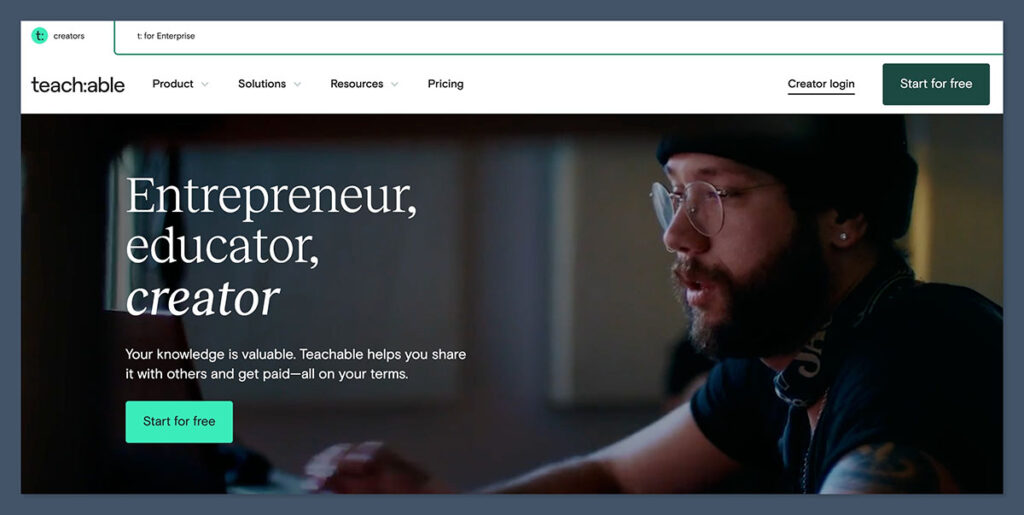
Teachable is a hosted creator platform where you build an online “school” and sell products directly to students or clients. Everything lives in one dashboard: your courses, coaching programs, digital downloads, memberships, checkout pages, and basic analytics.
What sets it apart from a generic website builder is that it was designed specifically for education businesses. Features like drip schedules, completion certificates, quiz builders, and affiliate tracking come built in, without plugins or third-party workarounds.
The platform currently supports four main product types:
- Courses made up of video, audio, text, and downloadable files, with drip scheduling and completion rules
- Coaching programs structured around milestones, intake forms, scheduling links, and messaging
- Memberships and bundles that combine multiple products into one recurring or one-time offer
- Digital downloads such as PDFs, templates, ebooks, and toolkits
One of the bigger changes in 2025 is the addition of a dedicated AI layer. Teachable now includes an AI Hub with tools for generating course outlines, lesson drafts, quizzes, captions, and translations, which we will cover in detail below.
Teachable Plans and Pricing
Teachable retired its free-forever plan in mid-2025 and restructured into four paid tiers. New users now get a time-limited free trial rather than a permanent free account. The trade-off is that even entry-level plans come with better features than the old free tier offered.
| Plan | Starting Price | Transaction Fee | Best For |
|---|---|---|---|
| Starter | ~$39/month | 7.5% | Launching a first product with minimal upfront cost |
| Builder | Mid-tier | 0% base | Growing creators who want stronger marketing tools |
| Growth | Higher tier | 0% base | Scaling schools, B2B sales, and advanced AI features |
| Advanced | Enterprise level | 0% base | Larger teams with multiple admins and advanced reporting |
A few things worth knowing before you choose a plan. The Starter tier keeps costs low upfront but charges a percentage on every sale, which adds up quickly if your volume grows. Moving to Builder or higher eliminates that fee at the cost of a higher monthly subscription. The best AI features, including unlimited caption generation and one-click translations, are locked to Growth and Advanced. On lower plans, these are available as paid add-ons.
Note: Product counting has also changed. Memberships, bundles, and communities now count separately from courses, so factor that in when comparing plan limits to your product roadmap.
Setting Up Your Teachable School
Teachable uses a school-first model: you set up the school container first, then build products inside it. The onboarding flow is guided, but here is what the setup process looks like end to end.
- Sign up and choose a plan or start a free trial. You will be prompted to name your school and claim a Teachable subdomain during signup.
- Configure your branding. Upload your logo, set brand colors and typography, and customize the hero sections on your school homepage. This takes about 15 minutes and makes a significant difference in how polished your school looks to new visitors.
- Connect a custom domain (optional but recommended). Teachable provides a subdomain by default, but pointing a custom domain to your school is straightforward and gives your brand more credibility.
- Set up Teachable:Pay. This is Teachable’s native payment processor. It handles global payment processing, currency conversion, and tax compliance in supported countries. You will enter payout details here and configure any tax settings that apply to your business.
- Add your essential pages. At minimum, set up a school homepage, a product catalog page, and legal pages covering your privacy policy, terms of service, and refund policy.
- Choose your first product type and start building. Most creators start with a course or a digital download, then expand from there.
Creating Your First Course
Teachable’s curriculum builder uses a drag-and-drop interface. You organize content into sections (think modules) and lectures (individual lessons). Each lecture can contain video, audio, text, PDFs, or any combination of file types, all uploaded directly in the browser.
Building the Curriculum
Start by sketching out your section and lecture structure before uploading anything. Teachable lets you reorder sections and lectures freely, so you can adjust the flow as you go.
Once the structure is in place, upload your media files and add any supplementary resources to each lesson.
Two settings worth configuring early are drip scheduling and completion rules. Drip lets you unlock lessons on a specific date or a set number of days after enrollment, which can improve engagement and reduce overwhelm. Completion rules let you require students to finish a lesson or pass a quiz before moving forward, which is particularly valuable in compliance training or structured curricula.
Using the AI Tools to Build Faster
This is where Teachable has moved meaningfully ahead of older platforms. The AI Hub provides a set of tools integrated directly into the course creation flow:
- AI outline builder: Enter a topic and a description of your target audience. Teachable generates a structured curriculum draft you can edit and build from, which is a significant time-saver when you are starting from a blank page.
- AI lesson and copy assistant: Generates lesson titles, outlines, course descriptions, and sales page copy based on your inputs.
- AI quiz generator: Creates quiz questions directly from your lesson text. Useful for turning existing content into assessments without writing every question manually.
- Automatic captions and subtitles: Generated from your video audio. Unlimited on Growth and Advanced plans; available as an add-on on lower tiers.
- One-click translations: Localizes course interfaces and content for international audiences faster than manual translation workflows.
Teachable also introduced an MCP Server and a feature called Claude Skills, which connects large language models to your school data for more advanced automation, including generating study guides, summarizing content, and reducing repetitive admin tasks. These are more relevant for creators at scale, but worth knowing about as you grow.
Engagement Features
Beyond the curriculum itself, Teachable includes quizzes, completion certificates, lesson-level comments, and community spaces for peer interaction. Certificates are branded and awarded automatically when students meet the completion criteria you set, which adds perceived value and gives learners something tangible at the end.
Coaching, Memberships, and Digital Downloads
Courses are not the only thing you can sell on Teachable. The platform supports three other product types, each with its own builder.
Coaching programs are structured around milestones rather than lessons. You can add scheduled tasks, intake forms for new clients, a messaging interface, and calendar scheduling links (such as a Zoom booking link) directly inside the program.
Memberships and bundles let you combine multiple courses, downloads, or other products into a single offer. You can price them as a one-time purchase or as a recurring subscription and add bonuses to increase perceived value at checkout.
Digital downloads are the fastest product type to launch. Upload a file, set a price, and you have a product. These work well as low-cost entry points into your audience or as standalone resources sold alongside a course.
Payments and Checkout
Teachable’s checkout setup is designed to be no-code. Once Teachable:Pay is configured, you can offer several pricing structures on any product: one-time payments, subscriptions, payment plans, or a combination. Coupons, order bumps, and post-purchase upsells are all built in.
Order bumps appear at checkout and let you offer a complementary product at a discounted price before the student completes their purchase.
Upsells appear after payment and are effective for increasing average order value without adding friction to the initial checkout.
Other checkout features include abandoned cart recovery emails, a built-in affiliate program with tracking and payout management, and Buy Now Pay Later options where available by region. A recent update also added phone number collection at checkout for creators who want to follow up via SMS or build out their CRM data.
The Student Experience
Teachable has put noticeable product effort into the student-facing side of the platform over the past year.
The updated student dashboard takes a more action-oriented approach, with jump-back-in buttons and better sorting for enrolled content so students can pick up where they left off without hunting through a list of courses.
Creators can add hero banners and custom links inside the student dashboard to promote upcoming events, community spaces, or new offers. This turns the dashboard into a light marketing channel for existing students rather than just a content library.
Mobile learning has also been improved, which matters given that a significant portion of online learners access content on their phones. The one-click translation feature extends this to global audiences by making it practical to offer content in multiple languages without rebuilding the course from scratch.
Analytics and B2B Features
Teachable’s built-in analytics cover the fundamentals: revenue broken down by product, time period, coupon, and affiliate; student progress and completion rates; quiz performance; and enrollment source data.
For most solo creators and small teams, this is sufficient for day-to-day decisions.
For deeper analysis or marketing automation, Teachable connects to Google Analytics, email marketing platforms, and CRM tools through direct integrations or Zapier.
On higher plans, Teachable also supports B2B selling with team licenses and bulk enrollments, which is useful if you are selling to companies rather than (or in addition to) individual learners.
Advanced plans include expanded reporting and support for multiple admin accounts, which matters once you bring on a team or instructor partners.
Pros, Cons, and Who Teachable Is Right For
Strengths
- Beginner-friendly setup with strong guided onboarding
- All-in-one selling: checkout, taxes, affiliates, coupons, upsells, and payment plans
- Solid and improving student experience, especially on mobile
- AI tools for course creation and admin are more developed than most competitors
- Zero transaction fees on mid and higher plans
Limitations
- No free plan; all tiers are paid, which drew criticism from creators on the old free plan
- Email marketing tools are basic; most creators will need an external email platform
- Design flexibility has limits; deep brand customization or headless builds may feel constrained
- Best AI features are locked to Growth and Advanced plans
Teachable is a strong fit for solo creators and small teams who want to sell courses, coaching, and digital products without a lot of technical setup. It suits businesses that prioritize built-in payment handling, tax compliance, and global reach over pixel-perfect design control.
And it is particularly appealing right now for creators who want AI to accelerate content creation and admin work, not just somewhere to host video files.
It is a less obvious choice for businesses that need a heavy-duty email marketing stack built in, for creators who need highly custom site architecture, or for anyone who wants a free starting point while they validate an idea.
In those cases, it is worth comparing Teachable against alternatives like Kajabi, Thinkific, or Podia before committing.
Final Thoughts
Teachable has matured into a well-rounded platform for selling knowledge products online. The 2025 plan restructure removed the free tier but brought lower transaction fees and better baseline features across the board.
The AI tools are a genuine addition rather than a marketing layer, particularly the course outline builder and quiz generator, which save real time during content creation.
If you are ready to start, the free trial gives you enough time to build a product, explore the dashboard, and decide whether the platform fits how you work before committing to a paid plan.